Sign up or self-host, paste one prompt into your coding agent, then improve the agent with /overmind commands.
Overmind onboards through your coding agent. Cursor, Claude Code, OpenCode and Codex all work: one pasted prompt installs the SDK, connects the MCP server and scans your repository into capabilities. After that, instrumentation, datasets, training and optimisation run from the same chat.
1
Open the Console
Sign up at console.overmindlab.ai, or open your own Console, for example http://localhost:5173 — see Self-hosting. A project holds your capabilities, traces, datasets, runs, models and keys; the first sync creates it.
2
Copy the onboarding prompt
On the Agent page, pick Cursor, Claude Code, OpenCode or Codex, then select Copy onboarding prompt. The prompt carries a temporary account key, so paste it only into your local coding agent. Manual setup shows the same commands for a terminal.
3
Paste it into your coding agent
Open the repository root as the workspace and paste the prompt. The agent installs overmind, runs overmind init and overmind sync, and saves a project-scoped key to .overmind/credentials.toml. Reload the agent once so it loads the Overmind MCP server; in Claude Code, exit and run claude -c.The agent then scans the repository into capabilities and syncs them to the Console. To regroup capabilities or change their evals, ask the agent.
4
Improve the agent with /overmind commands
Each command drives one loop end to end. Cursor and Claude Code take them as slash commands; in OpenCode and Codex, ask for the step by name.
Command
What it does
/overmind ensure-tracing
Instrument the code and check that traces arrive
/overmind dataset
Build, clean, upload or export a dataset
/overmind finetune
Fine-tune, deploy and smoke-test a model
/overmind optimise
Run prompt and code optimisation
/overmind backtest
Compare models in the repository
Plain /overmind routes to the right workflow when you describe the goal instead.
5
Watch it land in the Console
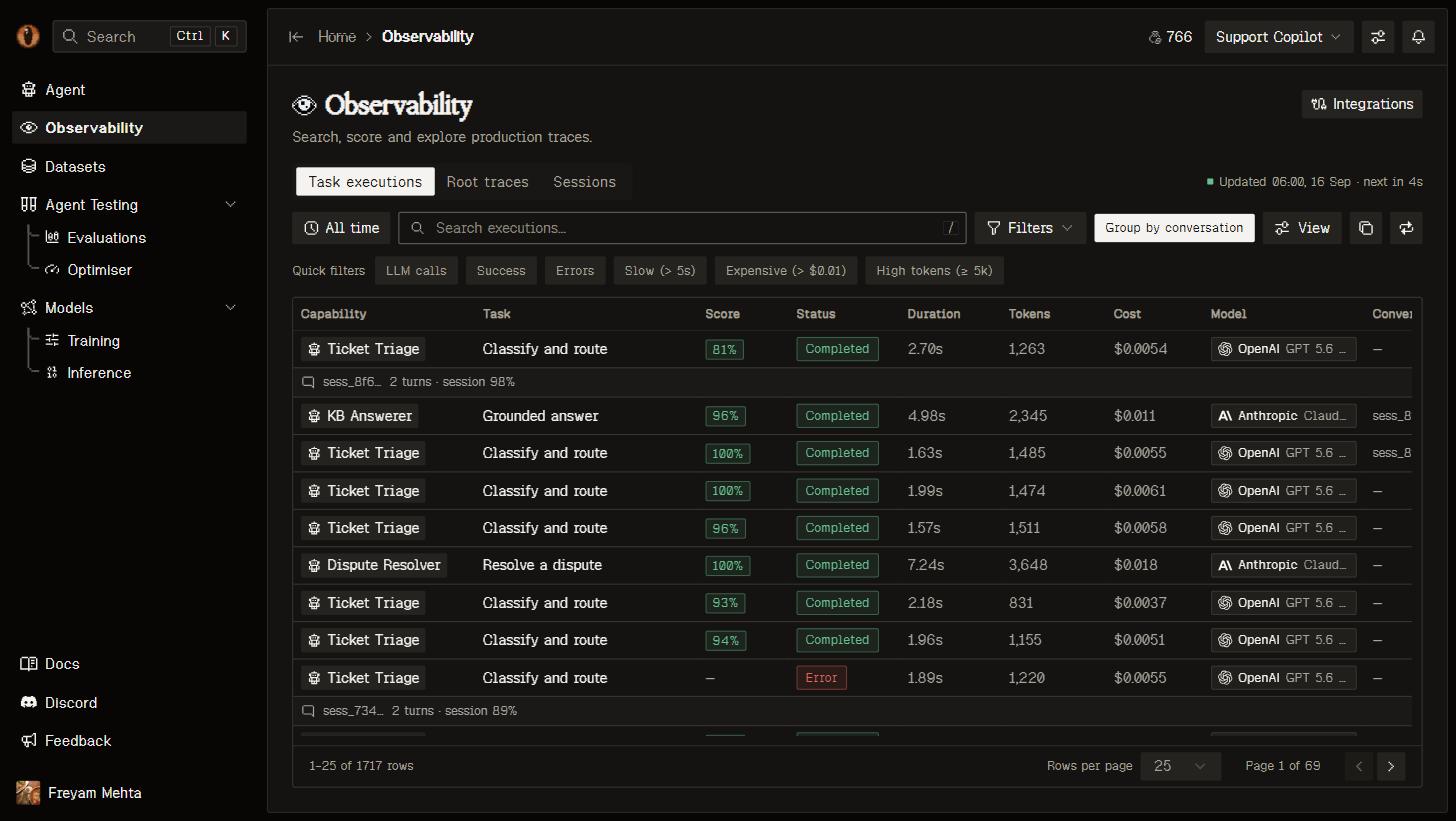
Once traces arrive, open Observability. Task executions shows one row per scored unit of work, Root traces one row per trace, and Sessions groups traces by session.
Task executions: one row per scored unit, with the task it bound to and its execution score.
Deployed processes need OVERMIND_API_KEY in their runtime configuration; the saved project key covers local runs only. Not using Python or a coding agent? Any OpenTelemetry SDK can export to the OTLP endpoint.