
Projects
A project is the tenant boundary for everything: capabilities, traces, datasets, eval sets, runs, deployed models, connectors, and project keys all belong to exactly one project, and switching projects switches the entire Console view. Members are added per project (/api/projects/{id}/memberships/), or invited by email (/api/projects/{id}/invites/), so access follows the work. There is no organisation layer above projects.
Data does not cross project boundaries — a project key is pinned to its project, and a model deployed in one project is not callable from another. That isolation is what makes a project safe to hand to another team or use as a staging sandbox.
API keys
One key type serves everything programmatic: the tracing SDK, raw OTLP ingest, the REST API, MCP, theovermind CLI, and the inference API.
- Format:
ovr_followed by a random token. Only a SHA-256 hash is stored — the full key is shown once, at creation. - Headers:
X-Api-Key: <key>orAuthorization: Bearer <key>. - Scope: project-scoped keys see one project; account-scoped keys reach every project you are a member of. MCP and the SDK’s saved credential are project-scoped; the onboarding prompt carries a temporary account-scoped key that
overmind synctrades for a project one. - Lifetime: keys do not expire. Revoke what you no longer need; revocation is immediate, and each key records when it was last used.
- Where: Projects → your project → API keys in the Console, the onboarding and observability setup panels, or over the API.
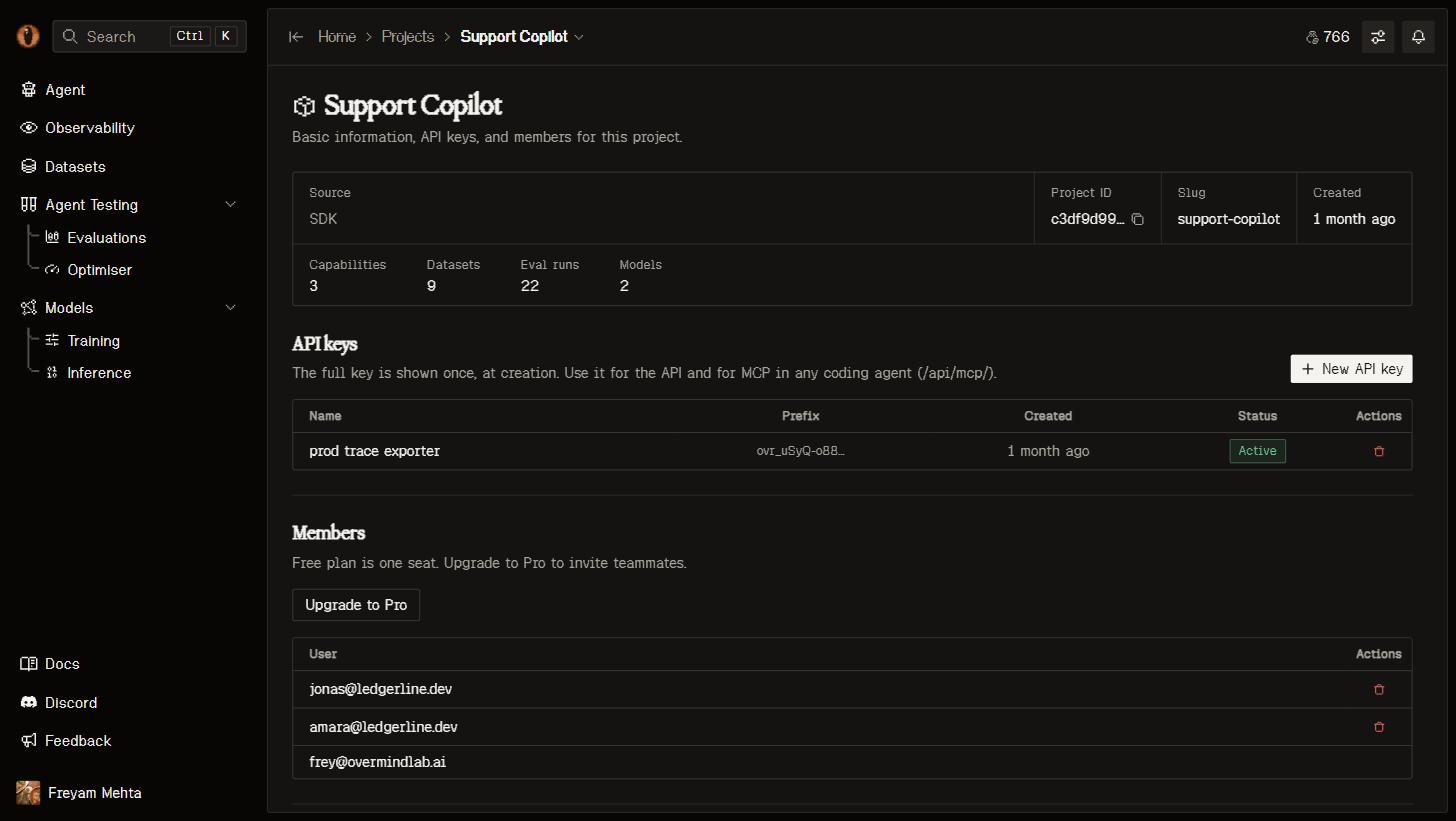
A project's API keys: name, scope, prefix, last use.
overmind init adds the file it writes a key into to .gitignore.
Tracing connectors
Langfuse, LangSmith, Braintrust, and Galileo. Provider keys enter through the terminal (overmind connector add TYPE --json) or under Observability → Integrations in the Console; the source project, the capability mapping, and the import run through MCP (inspect_connectors, configure_connector, sync_connector) or the same Console page. Each connector runs a resumable backfill then incremental sync, with a manual Sync now. Credentials are encrypted at rest and used only to read traces. See Observability.
Running work
Long-running work — eval runs, optimisation runs, and training runs — shows in the running-jobs indicator in the top bar from anywhere in the Console, each entry deep-linking into the surface that owns it. Dataset landings and agent turns show on the dataset itself. Over MCP,get_job reads any of them by kind and id.
Billing and credits
Credits belong to the user and are shared across every project you are in. Work that consumes compute on Overmind’s side — judge calls in eval runs and trace scoring, the Data Workshop agent, optimiser scoring, training, and serving — is metered on a ledger. Settings shows the plan, the balance, the full usage ledger, and top-up.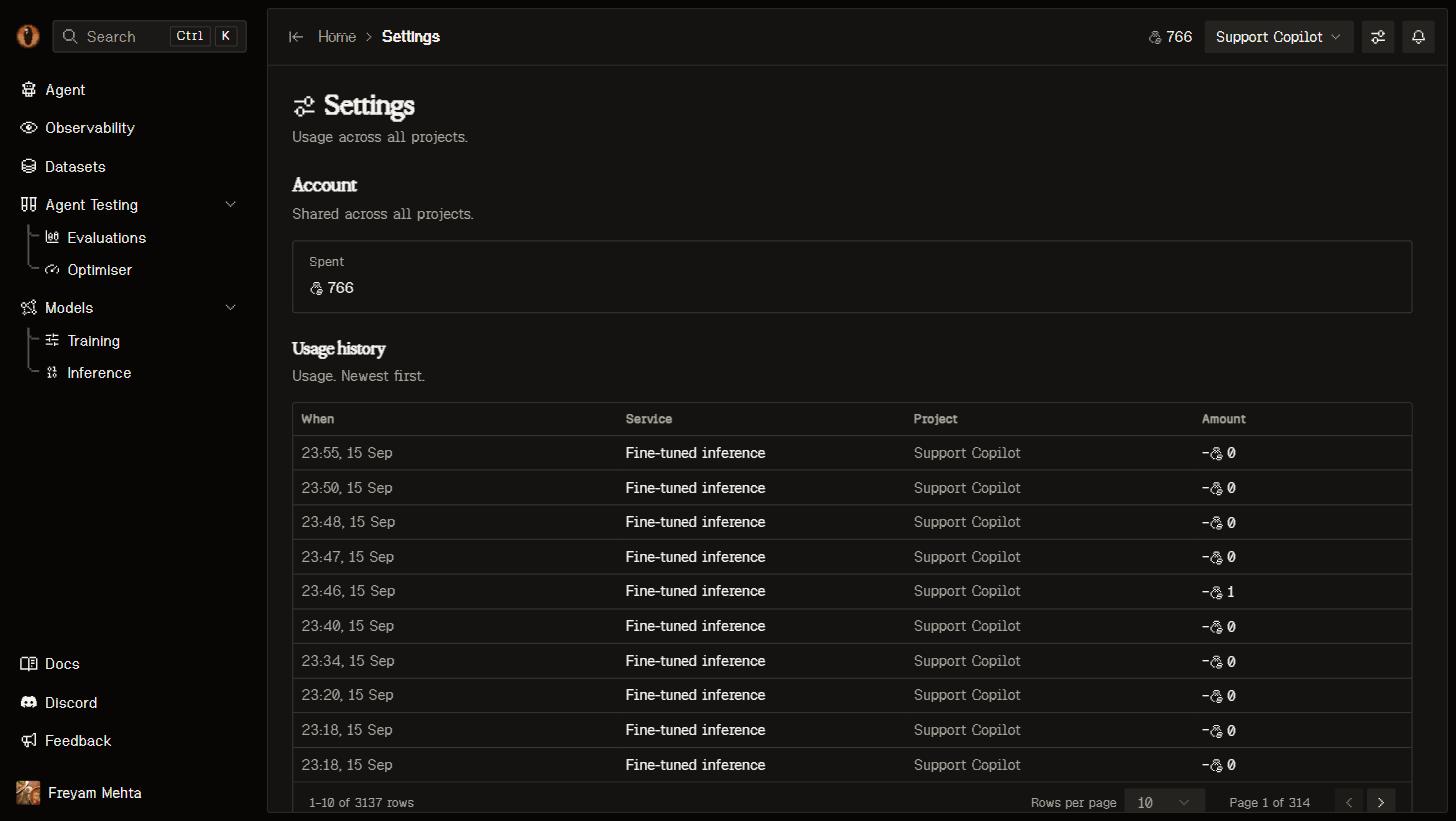
Settings on a self-hosted stack: account spend and the usage ledger. The hosted product adds the plan, the balance, and top-up above it.
402 insufficient credits response instead of degrading quietly. A self-hosted stack without Stripe keys meters the same charges with no cap and no quota — see Self-hosting. Two things are never credit-gated anywhere: trace ingest (your telemetry always lands) and browsing what’s already computed.
Model calls made by your own application — including the calls the optimiser makes while replaying your agent in your checkout — go to your model provider under your keys. Overmind credits cover the work Overmind performs on its side; an optimisation run’s judge calls are routed and metered, its candidate runs are yours.