
What you need
Your train and eval data must not share the same runs. Overmind counts the overlap for you and shows it in the wizard before you launch; anything overlapping is dropped from training rather than quietly inflating your score.
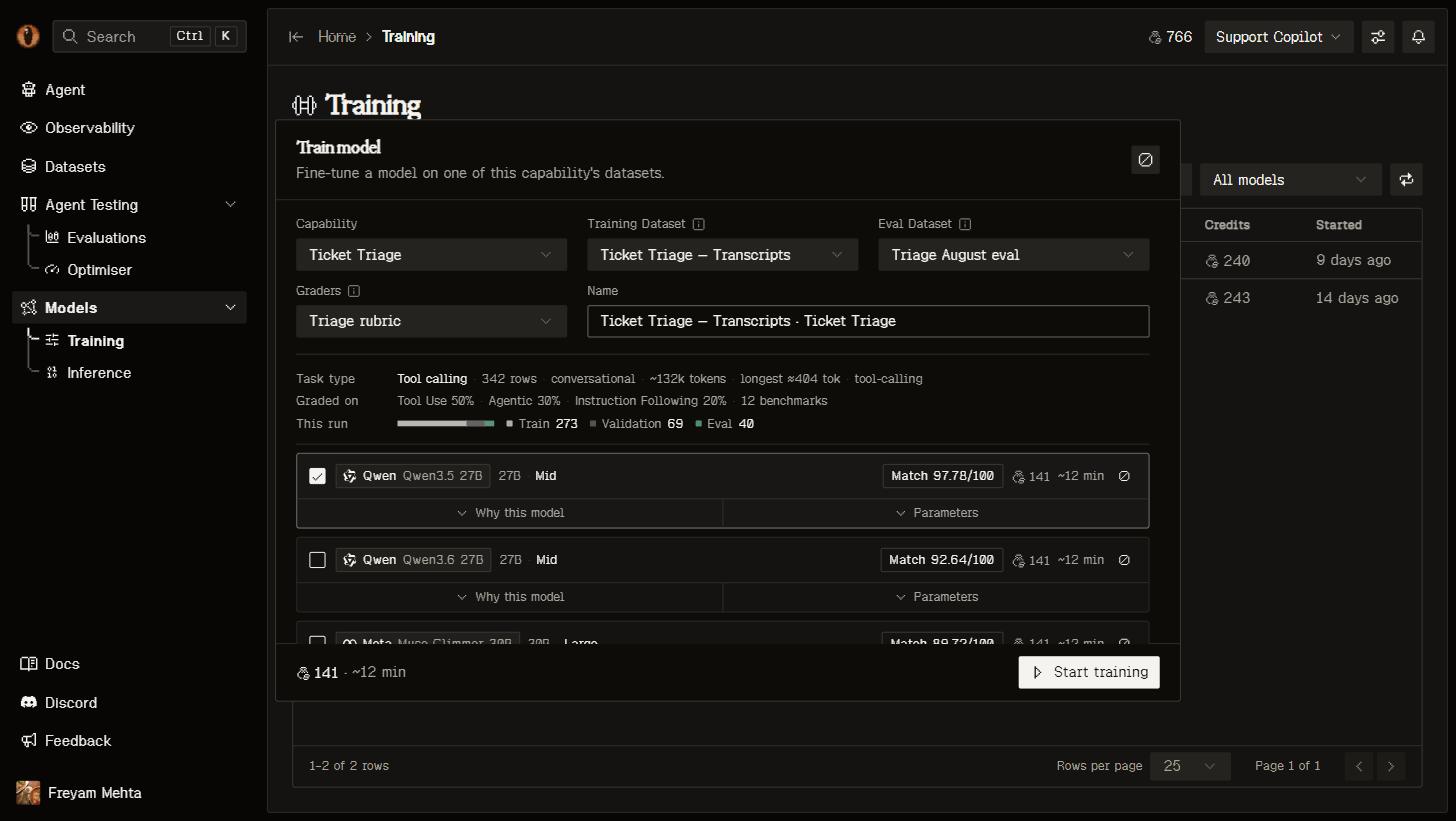
The training wizard: your data and graders on the left, the recommended models with cost and time estimates on the right.
Pick a model
The wizard ranks the catalogue for your data and estimates cost and duration for each option before you spend anything. Three things can rule a model out, and the wizard handles all three for you:- Context. A model’s training context is often shorter than its inference window. One that can’t fit your longest row is dropped from the recommendations.
- Tool calling. If your data contains tool calls, only models that support them are offered.
- Adapters. Larger dense models and every mixture-of-experts model train as LoRA adapters; the picker says so instead of offering a choice.
Launch
One run can launch several experiments at once, so you can try two learning rates or two base models side by side and compare them on the same page. Each experiment has its own Epochs, Learning rate and Batch, plus Rank, Alpha and Dropout when it’s training a LoRA adapter. The panel tells you what your data looks like — rows, tokens, longest row, whether it contains tool calls — so the numbers aren’t guesswork. Your coding agent can do the whole thing:/overmind finetune checks you’re ready, estimates the cost, launches the run, and follows it to the end.
Watch it train
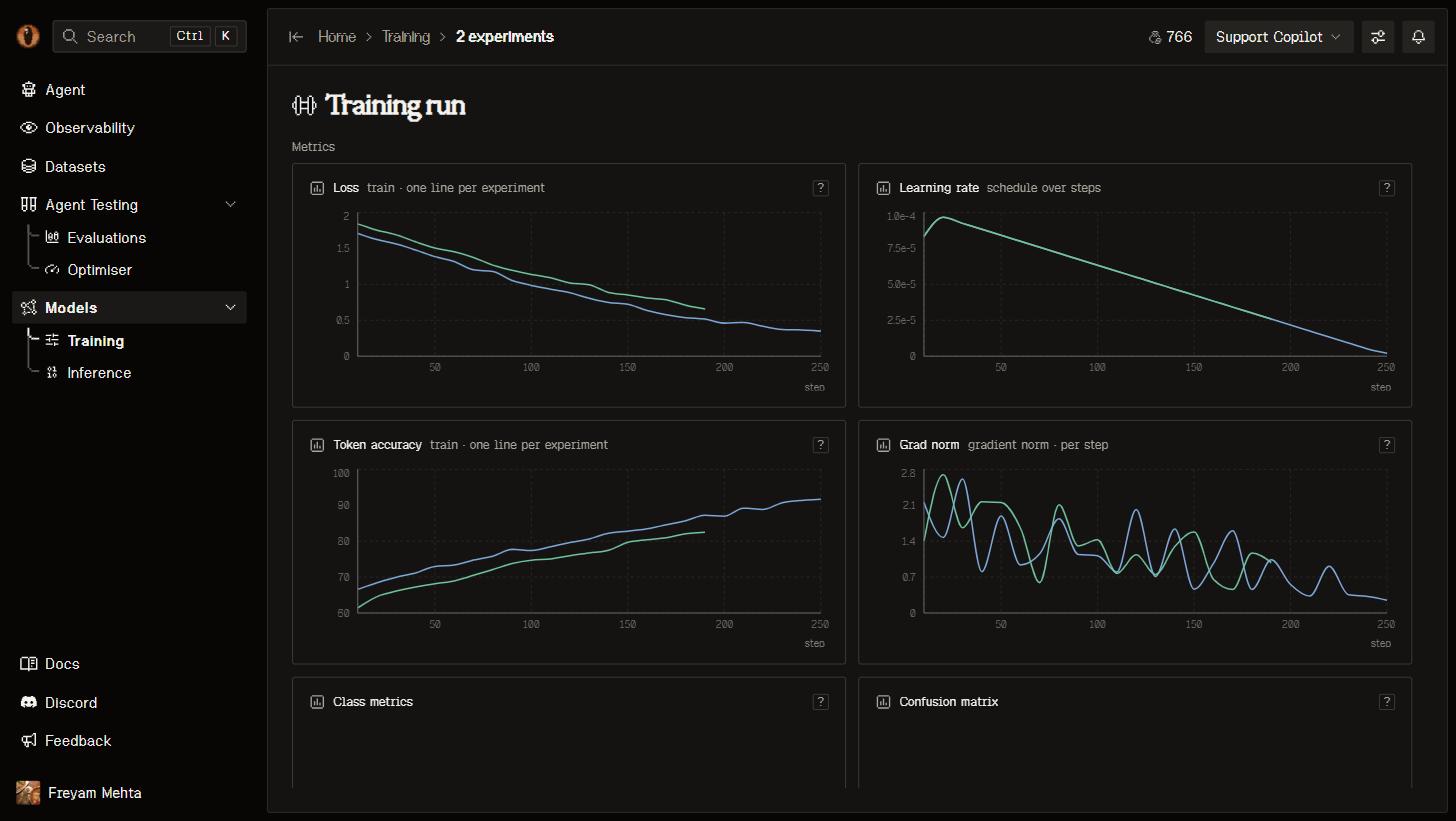
A finished experiment: train and validation loss per step, the learning-rate schedule, token accuracy and gradient norm.
The benchmark
This is the part that tells you whether the training was worth it. Every run with eval data and graders scores two things on the same rows with the same judges:- Baseline — the model your capability runs today, captured when you launched.
- Final — your trained model, once it’s serving.
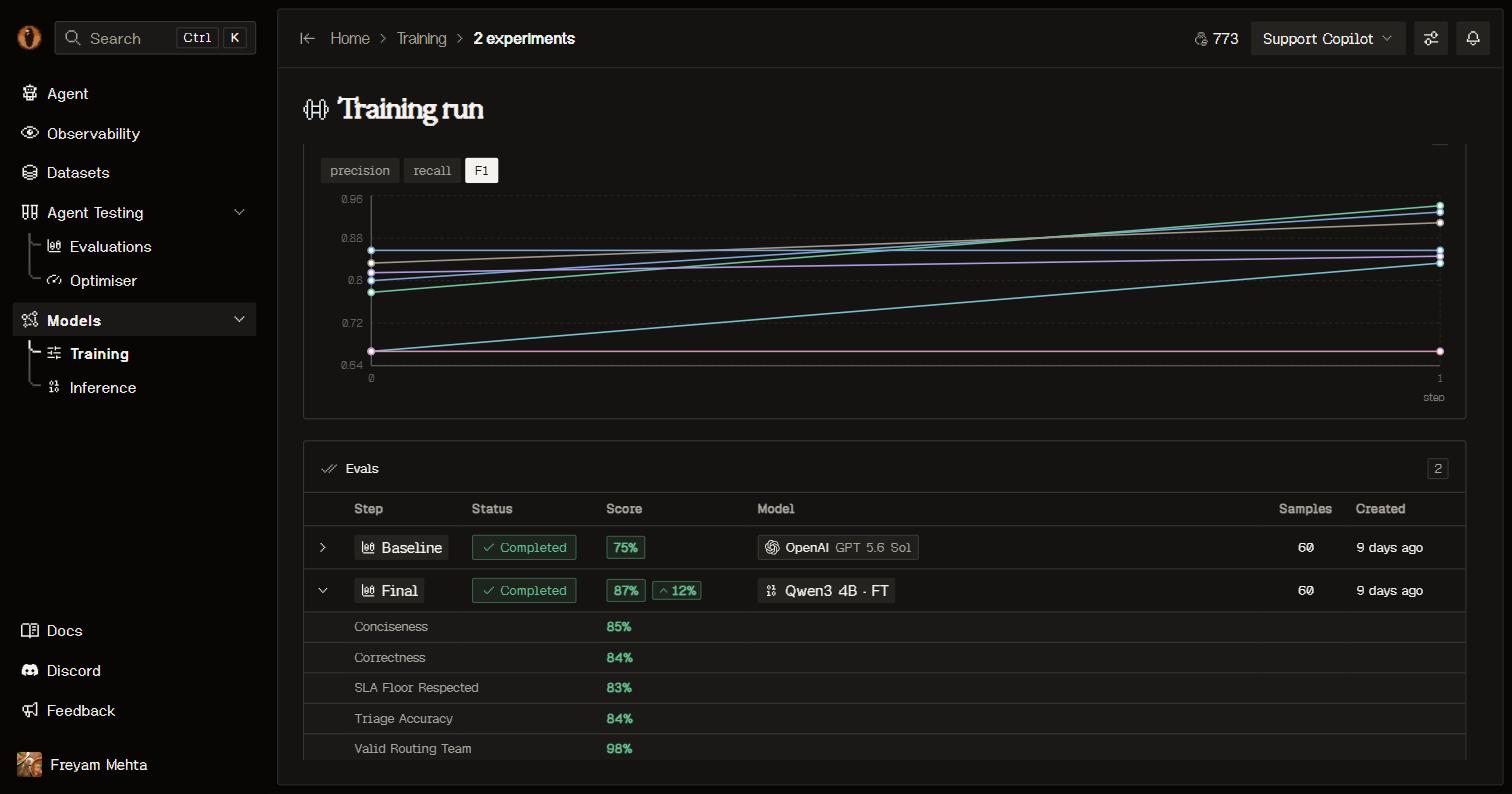
Baseline and Final rows per experiment, scored with the same graders.
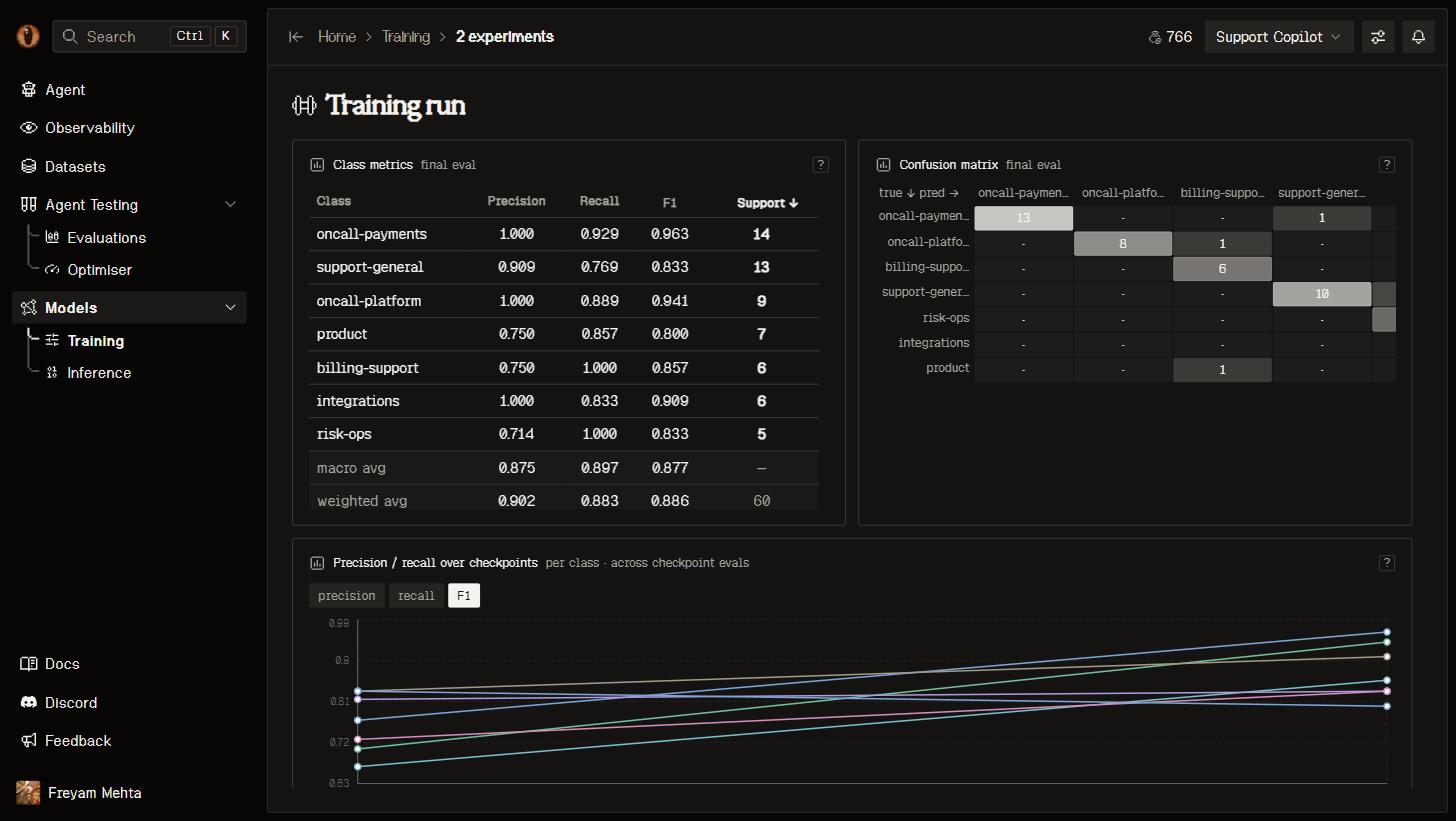
Classification metrics for a routing capability: per-class F1 and the confusion matrix.
Ship it
A finished job deploys its model for you. It appears on Inference and in your capability’s Models tab with a reference likeft-9635f347-qwen3-4b, and its weights are downloadable from the model page or with overmind model download-checkpoint.
Two ways to put it in front of traffic:
- Make live points your capability’s alias
overmind/<capability-uuid>at the new model. Your next request hits it, with no code change at all. - Copy gives you a prompt for your coding agent that retargets your LLM client at the model directly. The edit lands in your repository through your normal review.
Good to know
- Quality comes from the data, not the hyperparameters. Get the version fitting the train contract first.
- A run freezes the version it trained on, so its numbers stay true while you keep curating for the next one.
- Every experiment reports what it cost when it finishes, and you see the estimate before you launch.
- A model serving real traffic is producing traces again — which is the data for your next round.
Next steps
Call your model
The OpenAI-compatible endpoint, the capability alias, and how serving behaves.
Improve your data
Better rows beat better hyperparameters. Curate and train again.
Compare models first
Backtest several models over your dataset before you train one.
Sharpen your graders
The benchmark is only as honest as the judges behind it.